
A complete guide for K-12 schools
School Event Ticketing
From the first ticket sold to the last guest through the gate. A practical guide to ticket sales, admissions, and better school events.

School event ticketing is the process schools use to create, sell, distribute, validate, and track tickets for events such as athletic games, theater productions, concerts, graduations, fundraisers, and community activities.
For years, many K-12 schools managed event admissions with paper tickets, cash boxes, handwritten attendance counts, and spreadsheets. Those methods can work for small events, but they become difficult to manage when hundreds, or even thousands, of students, families, and community members are attending events throughout the school year.
Digital ticketing for schools offers another approach. Families can purchase tickets online, attendees can present mobile tickets at the door, staff can validate admission quickly, and administrators can review sales and attendance information without piecing together records after an event. The result is a simpler experience for attendees and a more manageable process for school staff.
This guide covers how school event ticketing works, which events can benefit from ticketing, the features schools should look for in school ticketing software, and best practices for improving ticket sales, admissions, and financial reporting.
01 / The basics
What Is School Event Ticketing?
School event ticketing is a system for creating, selling, distributing, validating, and tracking admission to K-12 events through paper or digital tickets.
A school ticketing process begins well before someone reaches the admission gate. Schools first create an event, establish ticket prices and attendance limits, make tickets available to families or community members, process sales, and then validate those tickets when attendees arrive.
With online ticketing for school events, much of this process can happen digitally. For example, instead of asking families to purchase football tickets with cash at the stadium, a school can publish the event online. Parents purchase tickets from their phones, receive digital tickets, and present them for validation at the gate. The same model can support school theater ticket sales, concerts, dances, fundraising dinners, graduation ceremonies, and many other events.
02 / A better event experience
Why Schools Are Moving to Digital Ticketing
Schools manage a surprising number of events. Each one can involve ticket sales, payments, capacity limits, volunteers, admissions staff, financial reconciliation, and attendance reporting. Digital ticketing brings those activities into a more structured process.
Better Experience for Attendees
Families increasingly expect to complete everyday transactions online. Event tickets are no exception. Online sales allow attendees to purchase tickets before arriving instead of searching for cash or waiting at a ticket booth. Mobile ticket delivery also means families can keep their tickets on a device they are already carrying. For popular events, advance purchasing can provide another benefit: attendees know whether tickets are still available before traveling to the school.
Faster Admissions
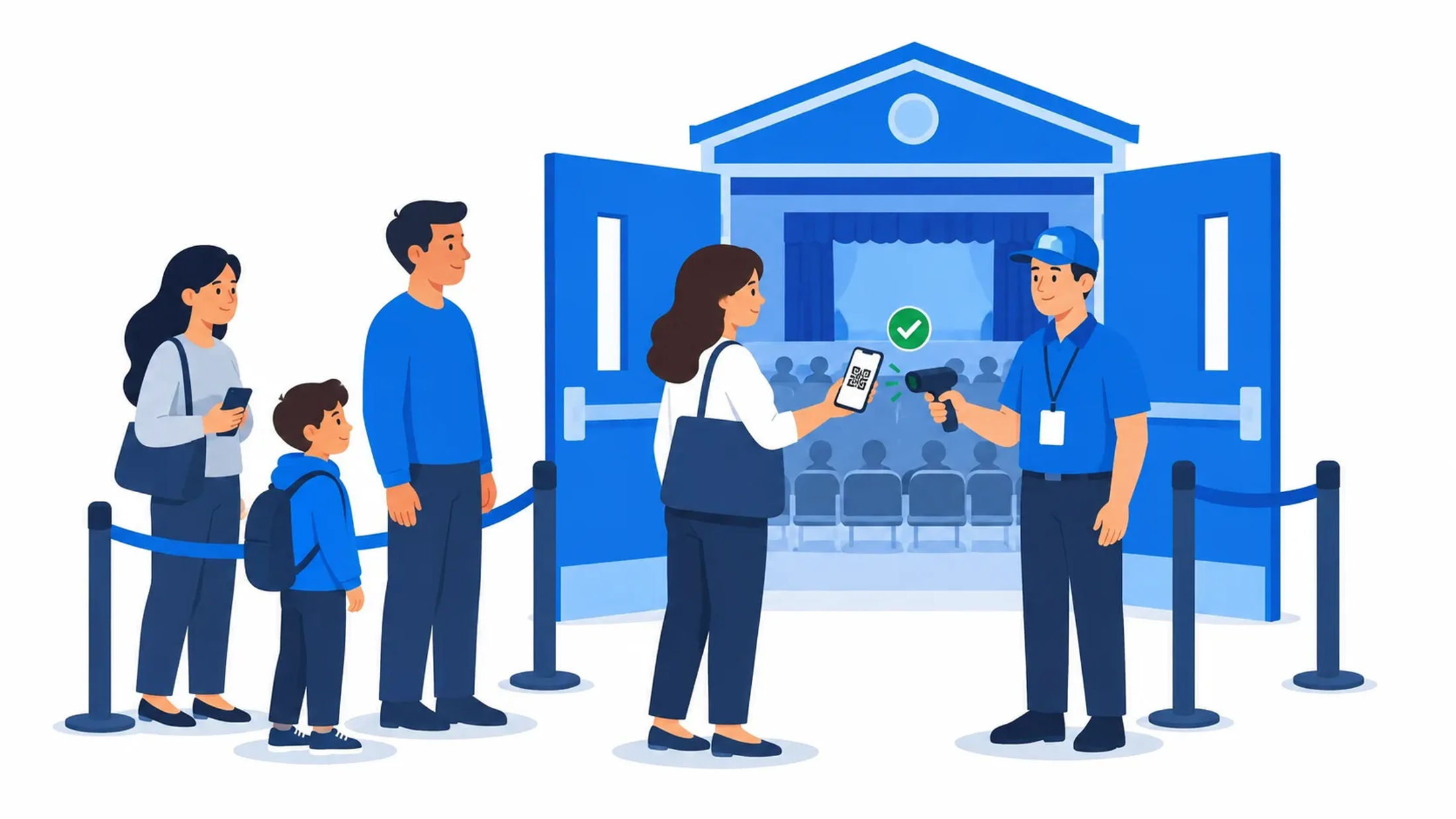
The entrance to a Friday-night football game or sold-out school musical can quickly become congested. Digital tickets with QR code validation help staff move attendees through entry more efficiently. Rather than collecting cash, making change, or tearing individual paper tickets, admission teams can validate tickets as guests arrive.
Schools should still plan entry lanes and train staff before high-attendance events, but removing unnecessary transactions from the gate can make the entire process smoother.
Improved Financial Tracking
Cash-heavy event operations create administrative work. Someone has to collect the money, count it, reconcile sales, secure the funds, and document how much revenue an event generated.
Digital school event ticket sales create an electronic record of transactions, making it easier to understand how many tickets were sold and how ticket revenue corresponds with attendance. That visibility can be particularly useful when schools run dozens of athletic contests, performances, and fundraising events throughout a year.
Reduced Administrative Work
Ticketing involves more than selling admission. Staff may need to answer questions, maintain attendee lists, monitor capacity, manage refunds, calculate revenue, and prepare reports after an event. School ticketing software can centralize many of these tasks. Instead of maintaining separate paper records and spreadsheets, administrators can manage more of the event lifecycle from a common system.

03 / Beyond the Friday night game
What Types of School Events Require Ticketing?
Any event that requires controlled admission, paid entry, capacity management, fundraising, or reliable attendance information can potentially benefit from ticketing.

Athletic Events
School sports ticketing is one of the most common K-12 use cases. Football, basketball, volleyball, soccer, wrestling, tournaments, playoff games, and other competitions may attract large crowds in short periods. Online ticketing allows schools to sell admission before game day while helping athletic departments monitor sales and prepare for expected attendance.
Performing Arts Productions
School musicals, plays, dance performances, and other performing arts events frequently have limited seating. Digital school theater ticket sales make it easier for families to purchase admission ahead of a performance and help staff understand how close an event is to capacity. Advance sales can also give directors and event teams a clearer picture of expected attendance before opening night.
Concerts and Music Performances
Band, choir, orchestra, and other music programs may use ticketing for concerts, festivals, showcases, and special performances. Even when admission is free, digital tickets can help manage capacity for auditoriums with limited seating.
Graduation Ceremonies
Graduations present a different ticketing challenge: managing limited guest capacity fairly. Schools can use tickets to control how many guests each graduate may invite and validate those tickets as families arrive. A digital system can also provide more reliable attendance information than manually collecting paper passes.
Fundraising Events
School fundraiser ticketing can support galas, dinners, auctions, benefit performances, and other revenue-generating events. Schools planning these events can also use school fundraising strategies to identify additional ways to increase participation and contributions.
Community Events
Ticketing can help schools manage admission even when the event is not a traditional school activity. School facilities frequently host events involving families and the broader community, including festivals, showcases, educational programs, camps, competitions, and community performances.
04 / From setup to reporting
How School Event Ticketing Works
Although workflows vary by platform and event, digital K-12 event ticketing generally follows seven steps.
One event, seven steps
A clear process connects ticket sales, admissions, and the reports your team needs afterward.
Schools that want a closer look at each stage can explore the full school event ticketing process from event setup to check-in.
Create Event
Configure the event details, location, date, and schedule
Set Ticket Options
Create ticket types, prices, and applicable capacity limits
Publish Event
Make tickets available for purchase online
Sell Tickets
Attendees purchase tickets through a secure checkout process
Scan Tickets
Digital or QR code tickets are validated at entry
Track Attendance
Staff monitor admissions and attendance information
Generate Reports
Administrators review sales, attendance, and financial results
05 / What your team gains
Benefits of School Ticketing Software
The right school ticketing software should make events easier for both administrators and attendees.
Online Ticket Sales
Advance sales can reduce pressure on event staff while giving schools earlier insight into demand. Families can purchase admission before an event from a school-provided ticket link rather than relying exclusively on an on-site ticket booth. Following best practices for selling school event tickets online can also help schools create a smoother purchasing experience and make it easier for families to buy tickets in advance.
Mobile-Friendly Purchasing
Many parents will discover an event through an email, school website, social post, or text message while using their phone. A mobile-friendly purchase experience removes unnecessary friction between discovering an event and buying a ticket. Public schools should also consider digital accessibility when evaluating online purchasing experiences, including accessibility for people with disabilities.
QR Code Check-In
QR code tickets provide a unique digital credential that can be validated when an attendee arrives. Scanning can reduce manual ticket handling and help schools establish a more consistent admission process.
Secure Payment Processing
Online ticketing allows schools to reduce reliance on cash transactions at event entrances. When evaluating ticketing software, districts should understand how payments are processed, what payment methods are available, how funds are disbursed, what fees apply, and what security controls protect transactions. Schools accepting card payments should also understand how their ticketing provider addresses the PCI Data Security Standard (PCI DSS), the industry standard for protecting payment account data.
Real-Time Attendance Tracking
Real-time admission information and event attendee management help administrators understand turnout and can improve decision making during high-capacity events. It can also help staff monitor venue capacity and adjust entry procedures or staffing as needed. After the event, attendance data can provide useful insights for planning future events, including staffing levels, ticket availability, and facility needs. Schools can follow event attendance planning best practices to prepare staffing, entry procedures, and facility needs based on expected turnout.
Financial Reporting
Digital transaction records and facility data and reporting make post-event reconciliation easier. Schools can review ticket revenue, ticket quantities, transaction information, and other available financial data rather than reconstructing the event from cash counts and paper records.
Donation Collection
Some ticketed events are designed primarily to raise money. Giving attendees an opportunity to donate during the purchasing process can help schools support fundraising goals without creating a completely separate transaction.
Reduced Paper Tickets
Paper tickets require printing, distribution, storage, collection, and disposal. Digital ticket delivery can substantially reduce that administrative burden while giving attendees convenient access to tickets on their phones.
Put the process into practice
Make your next school event easier to manage.
06 / Build your shortlist
Essential Features to Look for in School Ticketing Software
Not every event ticketing platform is designed around the operational needs of K-12 schools. When comparing systems, consider how well each platform handles the entire school event lifecycle.
Easy Event Creation
Staff should be able to create events without needing technical expertise. Look for straightforward controls for event names, descriptions, dates, locations, pricing, capacity, and sales periods.
Multiple Ticket Types
Schools may need different ticket categories for the same event, such as:
Adult admission
Student admission
Senior admission
General admission
Reserved or premium admission
Complimentary tickets
Staff or volunteer access
Flexible ticket types allow the school to configure sales around its own event policies.
Mobile Ticket Delivery
Attendees should be able to access tickets easily after purchase, particularly from a smartphone. Mobile delivery eliminates the need to print or pick up physical tickets, making the process more convenient for families. It can also reduce lost-ticket issues by keeping admission credentials readily available on an attendee’s device.
QR Code Validation
If QR codes are used, validation should be fast and easy for staff to learn. Schools should also consider what happens when an attendee cannot locate a ticket, has a damaged screen, or encounters connectivity problems at the venue.
Reporting and Analytics
A strong reporting system should give school administrators clear visibility into event performance and help answer practical questions such as:
How many tickets were sold?
How much revenue did the event generate?
Which ticket types sold?
How many attendees checked in?
Over time, this data can help schools compare events and improve planning.
Payment Processing
Evaluate the complete payment experience, not just whether a platform accepts credit cards. Understand transaction fees, payout schedules, refunds, reconciliation, supported payment methods, and how financial records are presented to administrators.
Refund Management
Canceled performances, weather delays, schedule changes, and purchasing mistakes happen. Schools need a defined process for managing refunds and communicating policies to attendees.
Integration with School Scheduling
Ticketing becomes more powerful when the ticketed event is connected to the facility where it takes place. Rather than maintaining one system for the auditorium reservation and another disconnected record for the performance, integrated scheduling can create better visibility across departments.
Facilitron Tickets is designed as part of Facilitron's broader facility management ecosystem, where ticketing can sit alongside scheduling and operational workflows. This gives schools a more unified way to manage ticket sales, admissions, donations, and revenue alongside the facilities and events they support.
07 / Solve the friction points
Common Challenges Schools Face with Event Ticketing
Moving to digital ticketing often begins with recognizing where manual processes create friction. From handling payments to managing entry lines, traditional ticketing methods can add unnecessary work before, during, and after an event. Understanding these common challenges can help schools identify where a more streamlined approach can make the biggest difference.
Manual Ticket Sales
Relying on in-person ticket sales can create extra work for staff and make purchasing less convenient for families. Online ticketing allows attendees to purchase in advance at any time, reducing on-site transactions and helping streamline event-day operations.
Cash Handling
Cash requires secure collection, counting, storage, deposit, and reconciliation. Digital payments can reduce the amount of cash that event workers need to manage.
Long Entry Lines
When ticket purchasing and admission happen in the same line, every cash transaction slows down entry. Encouraging advance purchases and separating ticket sales from ticket validation can help keep lines moving.
Oversold Events
Capacity matters in gyms, auditoriums, theaters, and other spaces. Schools should establish capacity limits and monitor sales so the number of tickets available aligns with the event's approved occupancy and operational plan.
Attendance Tracking
Paper tickets make it difficult to track attendance accurately in real time. Digital check-in shows staff how many attendees have entered the event, helping them monitor turnout and capacity as the event unfolds.
Financial Reconciliation
Reconciling event revenue can be time-consuming when payments and admissions are tracked in multiple places. A centralized ticketing system simplifies the process, making it easier for school staff to verify revenue, identify discrepancies, and complete post-event reporting.
08 / Your event-day checklist
Best Practices for Managing School Event Ticket Sales
Technology helps, but strong event management still depends on good processes.
School Event Ticketing Best Practices Checklist
Sell tickets online
Makes purchasing easier for families
Use QR code admission
Helps speed up event entry
Open ticket sales early
Gives families time to purchase and schools more visibility into demand
Monitor sales in real time
Helps schools manage capacity and avoid overselling
Train event staff
Creates a smoother and more consistent admission process
Review post-event reports
Provides insights that can improve future events
Schools should also test their admission process before major events. A broader school event planning checklist can also help teams coordinate staffing, facility preparation, communications, and other event-day details.
09 / Ask the right questions
Choosing the Right School Ticketing Software
The best ticketing software for a school is not necessarily the system with the longest feature list. It is the platform that fits the school's events, staff, financial processes, and broader technology environment.
During evaluation, schools should consider:
Ease of use
Can school staff create and manage events without extensive training?
Attendee experience
Can families purchase and access tickets easily from mobile devices?
Admissions
Can staff validate tickets quickly during high-volume events?
Capacity controls
Can administrators control ticket availability?
Payments
Does the platform support the school's required payment and reconciliation processes?
Reporting
Can staff easily understand ticket sales, revenue, and attendance?
Refunds
Is there a manageable process for cancellations and refunds?
Fundraising
Can the platform support donations when appropriate?
Support
What help is available before or during important events?
Integration
Can ticketing connect with the school's facility scheduling and operations workflows?
Schools evaluating their options should consider several factors when choosing school event ticketing software, including ease of use, admissions, payments, reporting, and integration.
10 / Connect the whole event
How School Ticketing Integrates with Facility Scheduling
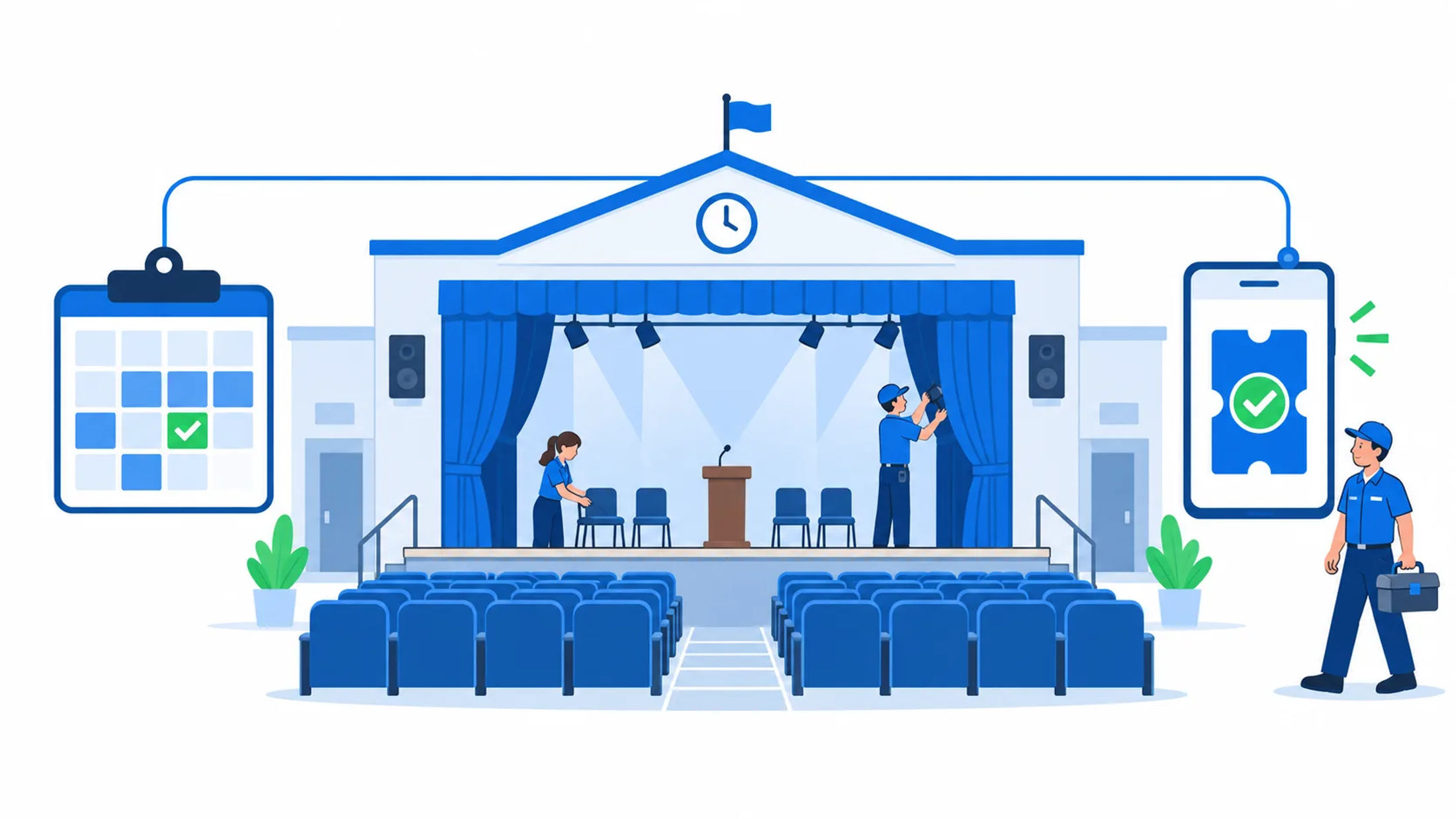
Ticketing is only one part of managing a school event. Using a school event planning template helps ensure the right spaces, staff, and operational resources are available when an event takes place. For a high school musical, for example, the auditorium must be reserved for rehearsals and performances, while custodial services, building access, HVAC, lighting, and other operational needs may need to be coordinated around the same schedule.
Connecting these details with ticketing helps staff manage the event more efficiently and reduces the need to track information across separate systems. Facilitron S&R provides a centralized approach to managing internal events and community facility use.
Operational integrations can extend the value of that event schedule further. Facilitron Works can connect facility schedules with maintenance and support workflows. When S&R and Works are used together, reservation work orders can be created for HVAC, custodial, and other support services and remain linked to the event so changes or cancellations can be reflected operationally. Similarly, Facilitron BAS connects approved event schedules with building systems such as HVAC, lighting, irrigation, and locks, allowing those systems to respond to actual facility use.
A more connected approach brings scheduling, admissions, facility operations, and post-event reporting into the same workflow. This helps schools coordinate events more efficiently while giving teams better visibility across each stage of the process.
11 / Bring it together
How Facilitron Tickets Helps Schools Simplify Event Ticketing
Facilitron Tickets gives schools a way to manage ticket sales and admissions as part of their broader facilities program. Instead of treating ticketing as a standalone activity disconnected from the spaces where events occur, schools can approach event management within a broader ecosystem that includes facility scheduling and operations. This approach can be useful for districts managing many different types of events across multiple schools.
Combining school event ticketing with scheduling and operational tools can help districts create a more connected workflow, from putting an event on the calendar to preparing the facility, admitting attendees, and reviewing results afterward. With Facilitron Tickets, schools can manage online ticket sales, digital admission, donations, and event reporting while keeping ticketed events connected to broader facility workflows.
Your next school event
A More Connected Approach to School Event Management
School events should bring communities together without creating unnecessary administrative work. Modern school event ticketing gives K-12 schools a more efficient way to manage ticket sales, admissions, and event revenue. For families, digital purchasing makes attending school events easier, while staff benefit from a more organized, streamlined process.
Every ticketed event also involves a facility, a schedule, and an operational plan. Connecting those pieces can give school districts better visibility and help teams coordinate the full event lifecycle. Learn more about Facilitron Tickets and how schools can simplify online ticket sales, admissions, donations, and event reporting.
For a more connected approach to school facility management, explore Facilitron S&R for facility and event scheduling and Facilitron Works for maintenance and operational workflows. Facilitron's scheduling and maintenance products can work together so event schedules and work orders remain connected, helping facilities teams coordinate services around actual facility use.